


29 Aug 2013 BMW 650i Convertible: Apple CarPlay | Android Auto SCB-CIC-X Build Up
2013 BMW 650i Convertible: Apple CarPlay & Android Auto SCB-CIC-X Build Up

SCB-CIC-X Android Auto installed in a BMW 6 Series
A stunning 2013 BMW 650i Convertible has arrived at our INDIWORK garage for an Android Auto and Apple CarPlay installation. This system seamlessly integrates with the vehicle’s native iDrive controller, allowing for easy navigation and control of both platforms. It supports both wired and wireless connections, offering ultimate flexibility. A key feature is the system’s ability to output at the same 1280×480 resolution as the original 2013 BMW 6 Series screen, ensuring a perfectly integrated and familiar display without any visual distortion.
2013 BMW F12 650i Wireless Apple CarPlay & Android Auto installation: retains the original monitor and system, uses a plug-and-play connector method without cutting wires, supports both wireless and wired Apple CarPlay & Android Auto, enables full control with the original controller, and supports smartphone mirroring, HDMI input, and external front/rear camera connections.
About the 2013 BMW 650i Convertible


As the weather turns cooler, the sight of a 6 Series Convertible makes you want to enjoy some top-down driving on a scenic country road. However, in Korea, even an hour of open-air driving in the city can leave your skin feeling sticky and your nostrils full of black dust. A more enjoyable experience can be had on a quiet highway outside the city. After a fun drive, getting a speeding ticket is a definite mood killer. That’s why using smartphone-linked navigation apps like T-Map, Naver Maps, or Kakao Navi is essential compared to the genuine BMW navigation system. The stock German navigation system is difficult to use and lacks up-to-date maps, making it a frustrating experience. Unless you plan on selling your vehicle in the near future, installing Android Auto and Apple CarPlay is a smart investment that any owner would consider.
2013 BMW 650i “SCB-CIC-X” Installation Process


The installation begins with the SCB-CIC-X, a CarPlay and Android Auto interface designed specifically for the BMW CIC head unit. The product uses a plug-and-play connection method, meaning no cutting or damaging of the original wiring is required. Instead, the interface is seamlessly integrated between the head unit and the screen. This requires the temporary removal of the head unit and other components. The 6 Series is more complex than other BMW models, with a greater number of parts to disassemble. For the 2013 6 Series specifically, the vehicle’s CAN data can be either 100K or 500K, and it’s impossible to tell by simply looking at the car. This means the installer must be prepared to configure the system for either scenario. Without this specific knowledge, the installation could become quite difficult. A word of caution: if not configured correctly, you may find that your iDrive controller no longer works after installation. At INDIWORK, we’ve collected extensive CAN data over many years for the three major German brands—BMW, Mercedes, and Audi—so you don’t have to worry about these issues. We also maintain a close relationship with our factory engineers, allowing us to quickly and effectively respond to any unexpected device errors that may arise during the installation process.


Once the SCB-CIC-X CarPlay & Android Auto interface is installed, there are no visible changes to the vehicle’s interior. Audio is routed through the original AUX input, and voice commands are handled by the genuine microphone, ensuring a completely native-feeling experience. To switch to the CarPlay screen, simply press and hold the MENU button on the iDrive controller for two seconds. You can then navigate CarPlay or Android Auto using the iDrive controller just as you would with the native menu. For those who prefer touch control, the SCB-CIC-X also supports it with a special software update and the addition of a capacitive touch panel. However, please note that there is an additional cost for this touch panel.
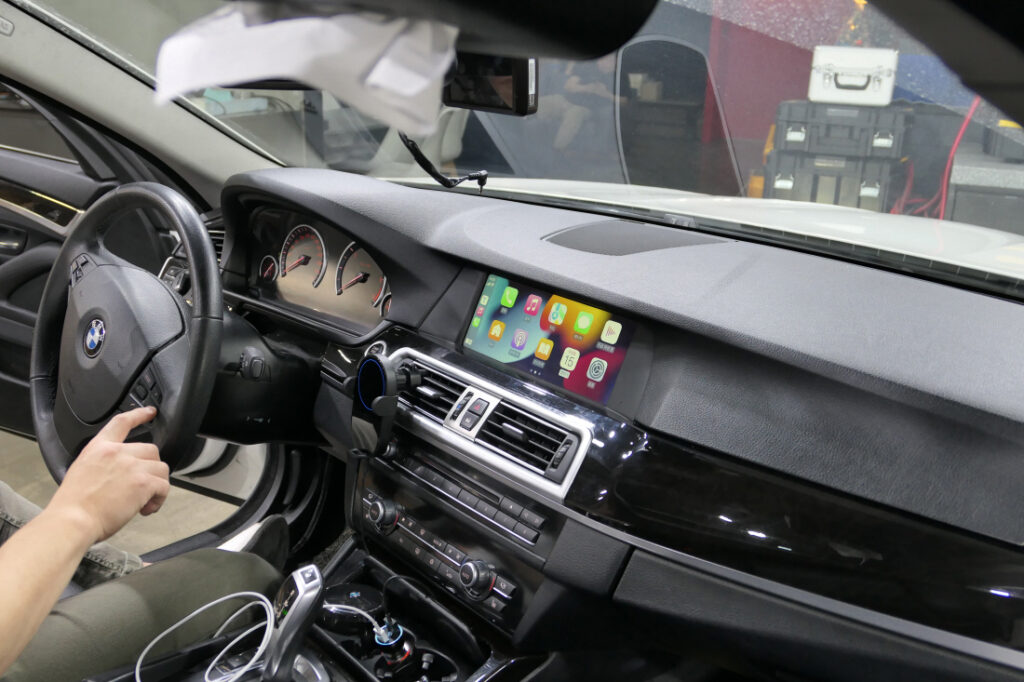
2013 BMW 650i Wireless CarPlay Test


The apps provided on the Apple CarPlay platform are restricted to those necessary for driving, and the user interface is optimized for control with the vehicle’s native controller. This ensures a seamless and familiar experience when navigating each app. The most useful apps for driving include T-Map, Naver Maps, Kakao Navi, YouTube Music, and Melon, along with Siri and phone call functionality. Occasionally, customers ask if they can watch YouTube or Netflix videos. *Please be aware that neither Apple CarPlay nor Android Auto supports video content like YouTube or Netflix. This is a policy set by Apple and Google and is a restriction that cannot be bypassed. In short, while the SCB-CIC-X installed in this BMW 6 Series cannot offer a 100% identical experience to the software-based CarPlay and Android Auto provided in modern vehicles, it is built to operate as closely to the original as possible.
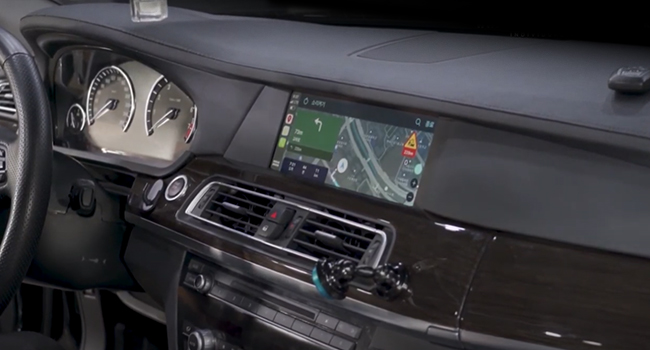
2013 BMW 650i Wireless Android Auto Test


Here are the test shots for Android Auto. Unlike CarPlay, which has a single layer, Android Auto is structured in three separate layers. To move between these layers, you must push the iDrive knob in the four cardinal directions (north, south, east, and west) for an extended period. This means a full control requires a combination of wheel rotation, directional pushes, and press confirmations. For those who find this cumbersome or prefer direct control, an additional BMW 10.2-inch capacitive touch panel can be installed to enable full touch functionality. While the iDrive controller is perfectly capable of managing all functions, many users prefer the intuitive nature of touch control. Therefore, we offer a special software update and a capacitive touch panel connection, which allows for touch functionality to be used in conjunction with the iDrive controller.

ㆍProduct Name : SCB-CIC-X ㆍInterface-integrated CarPlay Settop box for BMW original Monitor. ㆍCompatible with BMW CIC. (Please refer to the table below for detailed models.) ㆍAvailable the Wired / Wireless Apple Car Play, Android Auto. ㆍDigital High Definition ㆍOperated by genuine buttons. (Touch control is supported when the optional touch panel is installed) ㆍJack by jack cable, Easy installation.

Recent Installation SCB-CIC Carplay & Android Auto





No Comments